
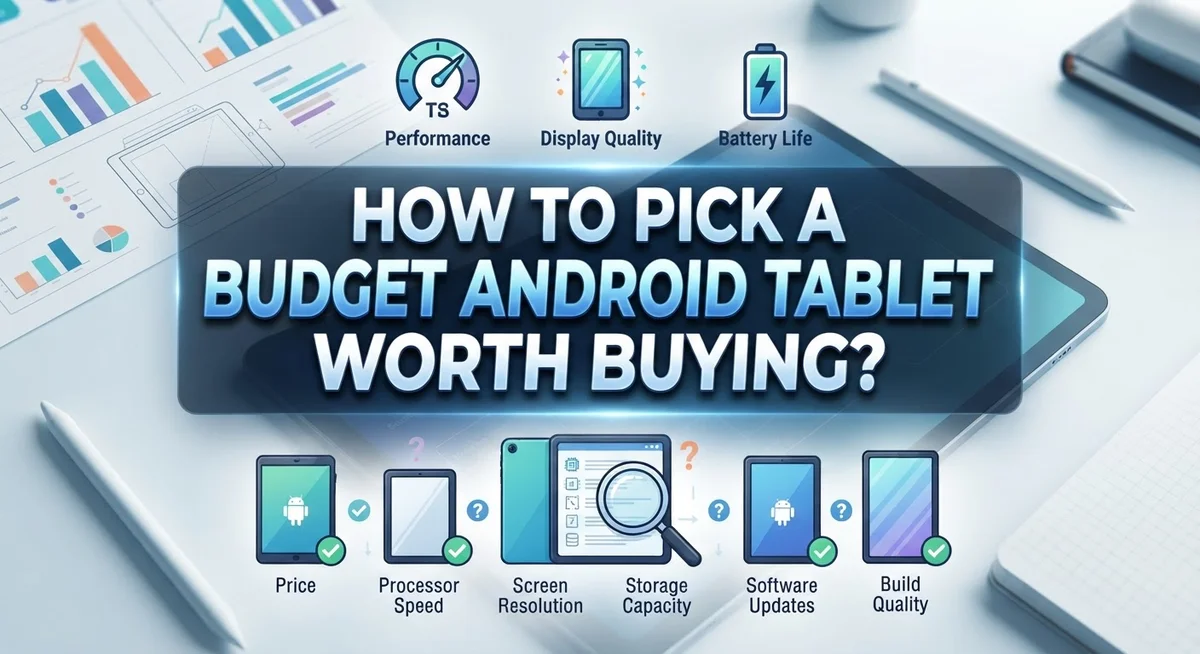
How to Pick a Budget Android Tablet Worth Buying?
Finding a good budget Android tablet feels tricky. Stores show dozens of options. Prices look similar, but quality does not.
Some tablets slow down within months. Others struggle with basic apps or drain battery fast. That is why picking the right one matters.
A good budget tablet does not mean a cheap experience. It means smart choices based on your needs. You just need to know what to check before you buy.
This guide breaks down the entire process step by step. We will cover how to match a tablet to your actual use case, whether that is streaming shows or handling light work tasks.
You will learn which specs truly matter, like screen size, battery life, and storage capacity. We will also explain why accessory compatibility deserves attention too.
Budget does not mean settling for less. It means spending wisely on features you will actually use.
By the end, you will know exactly how to compare options and avoid common mistakes buyers make. You will feel confident choosing a tablet that fits your budget and your daily needs.
Let us help you find real value, not just a low price tag.
In a Nutshell
Picking the right budget Android tablet starts with knowing your needs. Here is a quick summary to guide your choice:
-
Define your use case first. Decide if you need it for streaming, reading, or light work. This choice shapes every other decision you make.
-
Check the screen size. Smaller screens suit travel and reading. Larger screens work better for videos and productivity tasks.
-
Prioritize battery life. A tablet with weak battery life will frustrate you daily. Look for models that last through a full day of use.
-
Consider storage capacity. Apps, photos, and videos fill up space fast. Pick a tablet with enough room for your habits.
-
Factor in accessory costs. Cases, keyboards, and styluses add to your total spend. Budget for these extras before you buy.
-
Compare similar price points. Look at tablets in the same range together. This helps you spot real value instead of guessing.
Keep these points in mind, and you will avoid common buyer mistakes. A smart choice today saves money and hassle later.
Understanding What Makes a Tablet ‘Budget-Friendly’
A budget friendly tablet means different things to different people. For some, it means spending under a certain amount. For others, it means getting solid performance without overspending. The key is matching what you pay with what you actually need.
Budget does not equal poor quality. Many affordable tablets deliver excellent performance for everyday tasks. Streaming videos, browsing the web, and reading emails work smoothly on budget models. The trick is knowing which features matter for your specific use.
Start by identifying your actual budget range. This narrows your choices immediately. Once you know your spending limit, you can focus on tablets within that price band. Comparing options at the same price point gives you the best value comparison.
Next, think about what you will actually use the tablet for. Someone who watches movies has different needs than someone who takes notes for work. A reader needs a sharp screen. A gamer needs fast processing power. Your use case determines which specs deserve your attention.
Balance matters most when buying budget tablets. You are looking for the sweet spot between cost and performance. A cheaper tablet with weak battery life costs more in frustration. A slightly pricier model with better battery saves you from constant charging.
Storage capacity affects long term satisfaction. Budget tablets sometimes come with limited storage. Check if you can expand it with memory cards. Accessory costs matter too. Cases, screen protectors, and stands add up quickly.
Research what others say about specific models in your price range. Read reviews from real users who bought tablets for similar reasons. Their experiences help you spot patterns about reliability and performance. This research takes time, but it prevents expensive mistakes.
Defining Your Use Case Before You Shop
Before you start browsing tablets, take time to identify exactly how you plan to use it. This single step saves you money and prevents buyer regret later.
Ask yourself these key questions. Will you mainly watch videos and stream content? Do you need it for email, documents, and productivity work? Are you buying it for reading books and magazines? Maybe you want to play games or draw with a stylus? Your answer determines which specs matter most.
Streaming users prioritize screen quality and speaker sound. A larger display makes movies more enjoyable, and good audio enhances the experience. Battery life becomes critical since you will use the tablet for hours at a time.
Productivity workers need different features. A responsive processor matters more than screen size. You should consider if you want to attach a keyboard or stylus. Storage capacity becomes important because work files add up quickly.
Readers and casual users have simpler needs. Screen size matters for comfort during long reading sessions. Battery life still ranks high since reading sessions last hours. Processing power matters less since you are not running demanding apps.
Light gamers and kids need decent performance but not top tier specs. Screen responsiveness helps gaming feel smooth. Storage fills fast with games, so plan accordingly.
Once you identify your primary use case, you narrow down which tablets actually fit your needs. This prevents wasting money on features you will never use. You also avoid buying tablets missing features you actually need daily.
Write down your top three use cases. Rank them by importance. This clarity guides every comparison you make while shopping. You will feel confident in your final choice because it matches your real life, not someone else’s needs.
Key Specs That Actually Matter: Screen, Battery, and Storage
The screen, battery, and storage form the foundation of any tablet purchase. These three specs directly impact your daily experience far more than processor speed or RAM.
Screen size and quality matter most for your use case. A 7 inch screen works great for reading and travel. An 8 to 10 inch screen suits streaming and productivity better. Look at the resolution measured in pixels. Higher resolution means sharper text and clearer images. A screen with 1920 x 1200 pixels or better gives you crisp visuals for most tasks.
Battery life determines how long you can actually use your tablet. Check the milliamp hour rating, listed as mAh. A larger number means longer battery life. Real world battery life matters more than specs. Read user reviews about how long the tablet lasts during streaming, reading, or work. A tablet that dies after four hours becomes frustrating quickly.
Storage capacity fills up faster than you think. Apps, photos, videos, and documents consume space rapidly. A 32GB tablet sounds fine until you install apps and download content. Many budget tablets offer 64GB or 128GB options. Consider your habits. Heavy media users need more storage than casual readers.
Balance all three specs together. A tablet with a beautiful screen but terrible battery life causes problems. Strong battery life with minimal storage creates frustration. A large screen with weak performance disappoints users.
Compare tablets at your price point across these three areas. Look for models that deliver solid performance in all three categories rather than excelling in just one. This balanced approach ensures your budget tablet serves you well for years.
Processor and Performance: What to Look For
The processor is the engine that powers your tablet. It determines how fast your device runs, how smoothly apps open, and whether you can multitask without frustration.
Budget tablets use mid range processors from brands like MediaTek, Qualcomm Snapdragon, and Samsung Exynos. These chips are not flagship level, but they handle everyday tasks well. Streaming videos, browsing the web, and reading emails work smoothly on these processors.
Check the processor name when comparing tablets. Look for recent generation chips rather than older models. A newer mid range processor often outperforms an older high end one. The year matters more than you might think.
RAM works alongside your processor to determine overall speed. Most budget tablets come with 3GB to 4GB of RAM. This amount handles basic use cases without problems. If you plan to run multiple apps at once, aim for 4GB or more.
Pay attention to real world performance reviews. Read what actual users report about speed and responsiveness. Does the tablet lag when opening apps? Does it freeze during video playback? These details matter more than processor names alone.
Consider your specific use case when evaluating processor power. Light streaming and reading need far less processing power than gaming or video editing. A basic processor handles these tasks perfectly well.
Test the tablet if possible before buying. Open several apps at once. Scroll through web pages. Play a video. These quick tests reveal whether the processor meets your needs.
Balance processor power with your budget. Spending extra money on a more powerful chip only makes sense if you actually use demanding apps. Most budget tablet users never push their processor to its limits.
Ecosystem and Accessory Compatibility Explained
Your Android tablet works best when it connects smoothly with accessories you actually need. Ecosystem compatibility means checking if keyboards, cases, styluses, and chargers work with your specific tablet model.
Budget tablets come in different sizes. A 7 inch tablet needs different accessories than a 10 inch model. Before you buy, measure what you need. If you want a keyboard, verify that compatible options exist at reasonable price points. Some budget tablets have limited accessory options, which becomes frustrating later.
Charging cables matter more than you think. Most modern budget Android tablets use USB-C ports, but older models might use micro-USB. Check what your tablet includes in the box. You may need to buy extra cables for different rooms or your bag. Some tablets share chargers with phones, saving money. Others require unique chargers you cannot find easily.
Cases and screen protectors protect your investment. Budget tablets have just as many screen damage risks as expensive ones. Verify that protective cases exist for your exact model. Generic cases sometimes fit poorly and leave your tablet vulnerable.
Stylus support varies widely across budget tablets. If you plan to take notes or sketch, confirm your tablet supports a stylus before purchasing. Not all budget models include stylus compatibility. Some require specific stylus brands that cost extra.
Consider the long term costs of accessories when comparing tablets at your price point. A cheap tablet with expensive or unavailable accessories costs more overall than one with abundant affordable options. Research what accessories owners actually recommend for each model you consider. Check online communities and review sites for real experiences with specific tablet accessory ecosystems.
Step-by-Step Process for Narrowing Down Your Options
Start by listing what you actually plan to do with your tablet. Will you stream movies? Read books? Work on documents? Play games? Your primary activities determine which specs matter most. Write down your top three use cases right now. This simple step eliminates tablets that don’t fit your needs.
Next, set a realistic budget range. Know your maximum spending limit before you start comparing options. This prevents you from falling in love with tablets outside your price range. Search for tablets within your specific budget tier. You’ll find better options when you compare apples to apples.
Create a comparison chart with three columns: screen quality, battery life, and storage capacity. List several tablets in your price range. Rate each one in these areas. This visual comparison shows you which tablet offers the best balance for your money.
Check real world performance reviews from actual users. Read what people say about speed, reliability, and durability. Look for reviews that mention your specific use case. Skip overly technical reviews that don’t apply to your needs.
Consider accessory costs as part of your total investment. A cheap tablet becomes expensive if you need to buy a case, screen protector, and stylus separately. Factor these costs into your decision.
Test tablets in person if possible. Visit a store and hold different models. Feel the weight. Test the screen responsiveness. A tablet that feels awkward in your hands causes frustration later.
Finally, narrow your list to your top three choices. Compare these three side by side using your chart. Pick the one that best matches your use case and budget. You now have a tablet worth buying.
Common Mistakes to Avoid When Evaluating Tablets
Many people make preventable mistakes when comparing budget Android tablets. Understanding these errors helps you make a smarter purchase.
Ignoring your actual use case is the biggest mistake. You might buy a tablet because it’s cheap, but then realize it doesn’t do what you need. Ask yourself first: Will you stream videos? Do work? Read books? Play games? Each activity demands different features. A tablet for reading needs a good screen. A tablet for video calls needs strong speakers. Match the device to your real life.
Overlooking battery life specifications causes buyer’s remorse. You see impressive specs on paper, but the tablet dies after three hours of use. Always check the milliamp hour rating (mAh) listed in the specifications. Higher numbers mean longer usage time between charges. Read reviews from actual users about real world battery performance.
Not accounting for storage needs sneaks up on you. You download apps, take photos, and store documents. Suddenly your tablet is full. Budget tablets often come with limited storage. Think about what you’ll actually store before buying.
Skipping accessory cost considerations adds hidden expenses. Cases, screen protectors, and charging cables cost money. Some tablets support styluses, which cost extra. Keyboards might be important for productivity work. Calculate these costs as part of your total investment.
Comparing tablets across different price points wastes your time. A tablet costing twice as much will obviously have better specs. Compare only tablets within your budget range. This shows you real value differences.
Trusting marketing claims without verification leads to disappointment. Manufacturers highlight strengths and hide weaknesses. Read independent reviews from trusted sources. Check what actual users report about performance and reliability.
Using Buyer Guides and Community Resources Effectively
Buyer guides and community resources are your best friends when shopping for a budget Android tablet. These sources help you make smart choices based on real data instead of marketing claims.
Start by visiting established buyer guide websites. These sites compare tablets side by side at similar price points. They show you what specs matter most for your budget range. You’ll see honest breakdowns of screen quality, battery life, and storage options. This saves you hours of research time.
Reddit communities focused on Android tablets offer something guides cannot. Real users share their experiences with specific models. They tell you about problems that show up after months of use. They answer questions about accessories and long term satisfaction. Search for discussions about tablets in your price range. Read both positive and negative comments to get balanced perspectives.
YouTube reviews from tech channels provide visual comparisons. You can see the tablet’s interface in action. You watch battery tests and performance demonstrations. This helps you understand if a tablet feels right for your hands.
When using these resources, focus on recent content. Tablet technology changes quickly. A guide from six months ago may reference outdated models. Look for reviews posted within the last two to three months.
Cross reference information across multiple sources. If three different guides mention the same strengths and weaknesses, you can trust that feedback. If one source contradicts others, dig deeper into that specific claim.
Take notes while researching. Write down which tablets appear most frequently in recommendations for your use case. Track which features reviewers praise or criticize. This organized approach helps you spot patterns and make confident decisions based on evidence rather than gut feelings.
Final Thoughts
Picking a budget Android tablet does not have to feel overwhelming. You already know the steps. Match the tablet to your actual needs first.
Think about screen size, battery life, and storage. These three factors matter more than flashy marketing terms.
Your use case guides everything. Streaming needs differ from productivity needs. Be honest about what you will actually do daily.
Budget guides help you compare fairly. Sites like Consumer Reports and communities like Reddit’s tablet forums offer real user feedback. Use them before you decide.
Avoid comparing tablets across different price ranges. This creates confusion and unrealistic expectations. Stick to your set budget when comparing options.
Accessories add up quickly. Factor in cases, chargers, and stylus costs before finalizing your total budget. This prevents surprise expenses later.
Testing tablets in person helps too. If you can visit a store, hold the tablet and check its feel. This confirms specs match real world comfort.
Cross checking reviews across multiple platforms builds confidence. One review might miss a flaw another catches. Multiple sources give a fuller picture.
Remember that the “best” tablet varies by person. What works for streaming may not work for note taking or gaming. Your priorities decide the winner.
Take your time comparing your top three choices. Rushing leads to regret. A little patience pays off in daily satisfaction.
In the end, a well chosen budget tablet meets your needs without overspending. Smart research now saves frustration later. Trust your comparison chart, trust your research, and pick with confidence.
Frequently Asked Questions
What should I prioritize when comparing budget Android tablets?
Focus on three core elements: screen size, battery life, and storage capacity. Screen size determines comfort for your activities. Battery life prevents frustration during daily use. Storage capacity affects how many apps and files you can keep.
Match these specs to your actual use case. Streaming requires a decent screen and battery. Productivity work needs comfortable size and storage. Gaming demands faster processing power.
How do I identify my realistic budget?
Start by researching what price ranges exist for tablets. Look at tablets priced at $100, $200, $300, and $400 to understand the market. This helps you see what features you get at each level.
Decide what you can comfortably spend. Remember that accessories add to your total cost. Cases, stands, and keyboards increase the final price. Factor these into your budget from the start.
Why do people regret their budget tablet purchases?
Most regrets stem from ignoring actual needs. Someone buys a tablet for work but picks one optimized for streaming instead. Battery life gets overlooked until the device dies mid day.
Storage surprises people too. They fill up the tablet quickly and cannot install new apps. Accessory costs also shock buyers who only checked the tablet price.
Where can I find reliable information about budget tablets?
Community forums on Reddit dedicated to Android tablets share real user experiences. Tech review channels on YouTube show tablets in action. Established buyer guide websites compare specs side by side.
Focus on recent content since tablet models change often. Cross reference information across at least two sources. This builds confidence in your decision and catches outdated information.

DK is a tech enthusiast and product reviewer dedicated to helping readers make informed decisions about their technology purchases. Through thepixelkit.com, he provides honest reviews, detailed comparisons, and practical guides on the latest gadgets, appliances, and software tools.


